Everything on your phone, together.

Tulipix Manager brings your photos, music, videos, books, comics and PDFs together. It works offline, with no account.

Free for Android 8.0 and newer.
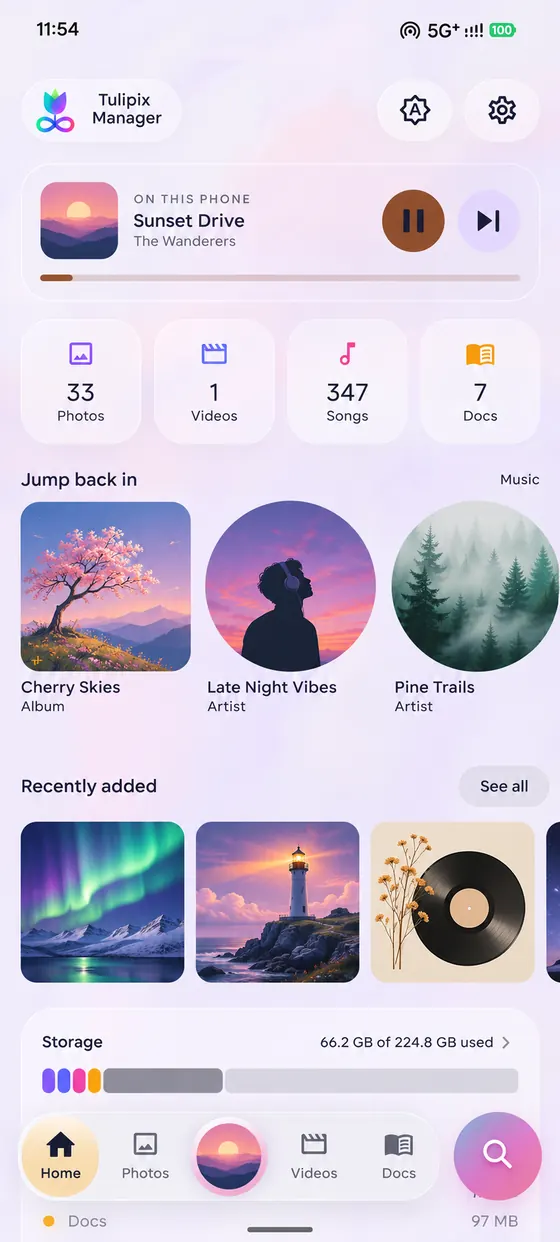
Home: the song playing now, counts of photos, videos, songs and docs, Jump back in, Recently added and a storage bar

Home picks up where you left off

Open the app and what you were doing is already there: the song, the film or the book. Everything else is one tap away.

  • Now playing. The song on top, with play, pause and next, even from here.
  • Your library at a glance. How many photos, videos, songs and documents you have, and each one opens its tab.
  • Jump back in. The albums and artists you play most, and what was added recently.
  • Storage. A bar showing how full your phone is and what is taking the space.

Photos and videos, in the order you took them

Scroll your whole library by day. Open a picture, zoom in, swipe to the next. Nothing is uploaded; it all reads from your phone.
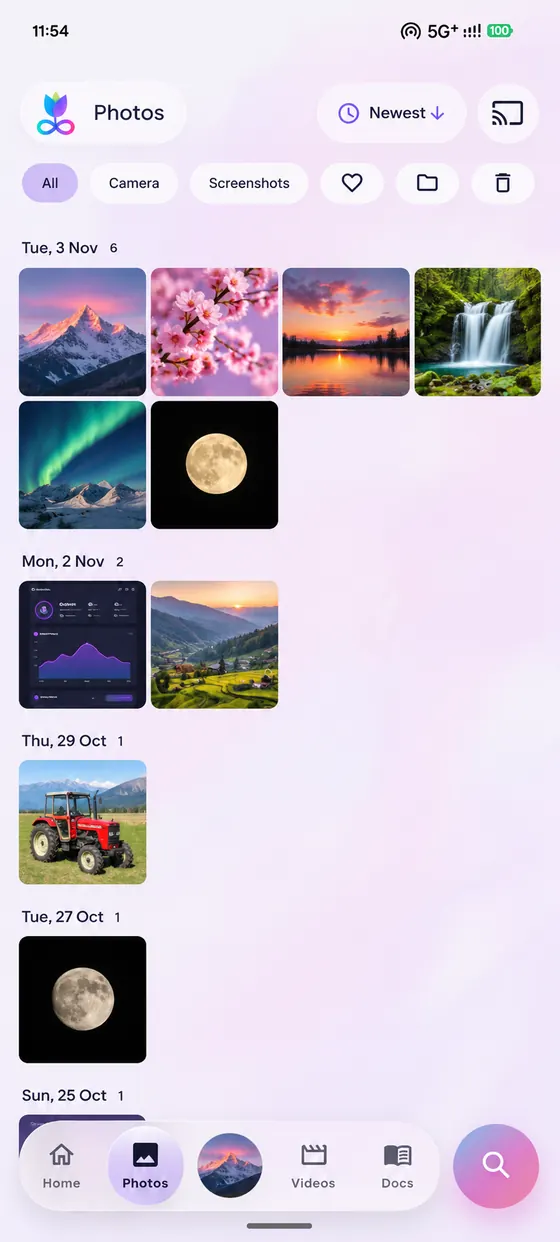
  • Memories. Pictures from this day in past years, on Home and in Photos.
  • Places. See the town a picture was taken in. The names come from a list inside the app, so no location leaves your phone.
  • Filters. Camera, screenshots and favourites.
  • Videos that remember. Long videos resume where you stopped. Watch in a small window while you do something else, or cast to a TV.
The Photos tab: pictures grouped by day, with filters for Camera, Screenshots and favourites
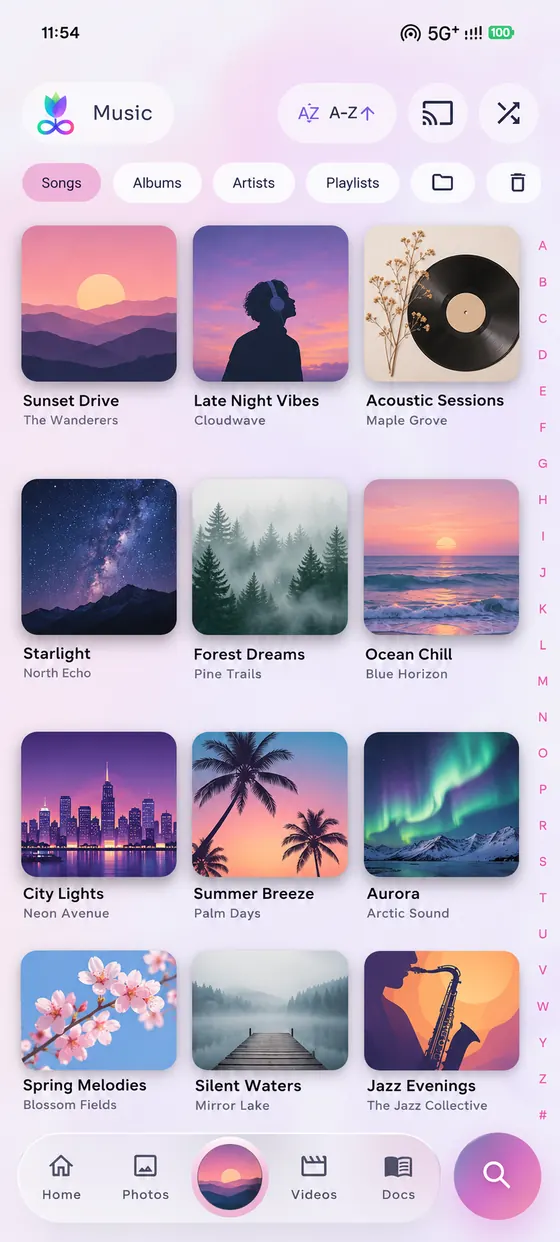
The Music tab: albums as a grid of covers, with Songs, Albums, Artists and Playlists
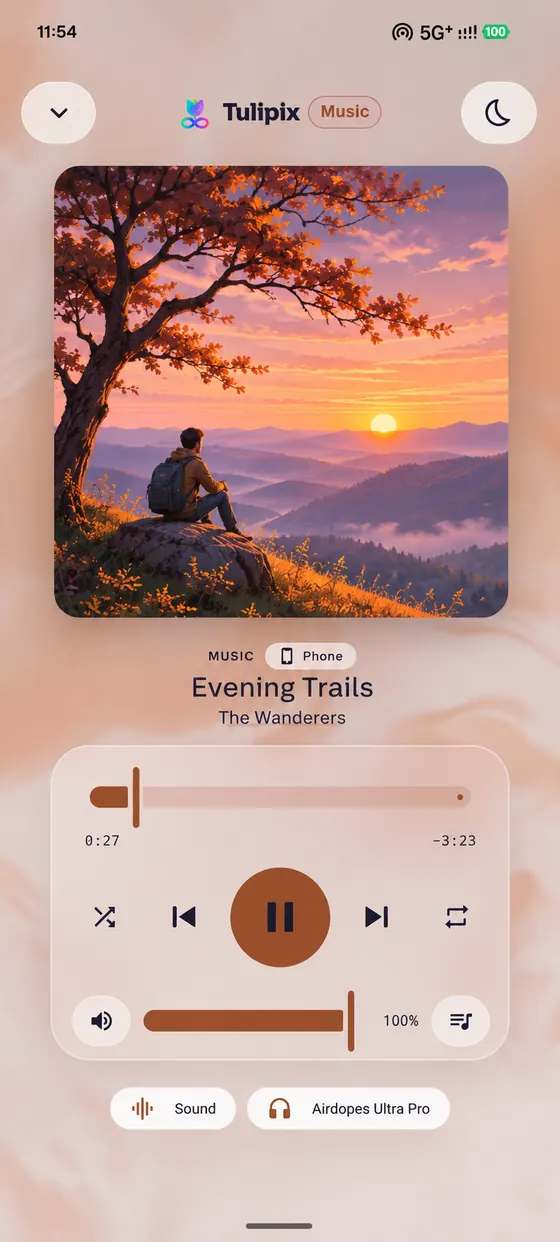
The player: large cover, progress bar and controls

Your music, played the way you would want

Songs, albums, artists, playlists and folders, built from the music already on your phone. It keeps playing with the screen off, and comes back to where you stopped.

  • Lyrics. Timed lyrics from LRCLIB, saved on your phone after the first look-up. The online look-up is off until you turn it on.
  • Sound. An equaliser with presets, a boost for quiet songs, and speed and pitch.
  • Sleep timer. Stop after a time, at the end of the song, the album or the queue.
  • Out of the way. Controls on the lock screen and in the notification. Playback pauses when your headphones come out.
  • Cast. Send a song or a film to a TV or speaker on your Wi-Fi (DLNA and Chromecast).

A reader that makes a book feel like a book

Open any EPUB and set the page the way you like it. Everything you change is remembered for the next book.

  • Your page. Fonts, size, spacing, margins, page colours, night light and brightness. Curl, slide or fade as the page turns.
  • Read aloud. A natural voice that runs on your phone, with each sentence lit as it is spoken. Four voices, no internet, no cost.
  • Remember things. Bookmarks, highlights and notes, search inside the book, and how long you have left in the chapter.
  • Reading stats. Books finished, the hour you read most, and the words you have read in this book.

Read aloud needs a 64-bit phone, which is nearly every phone made in the last several years.
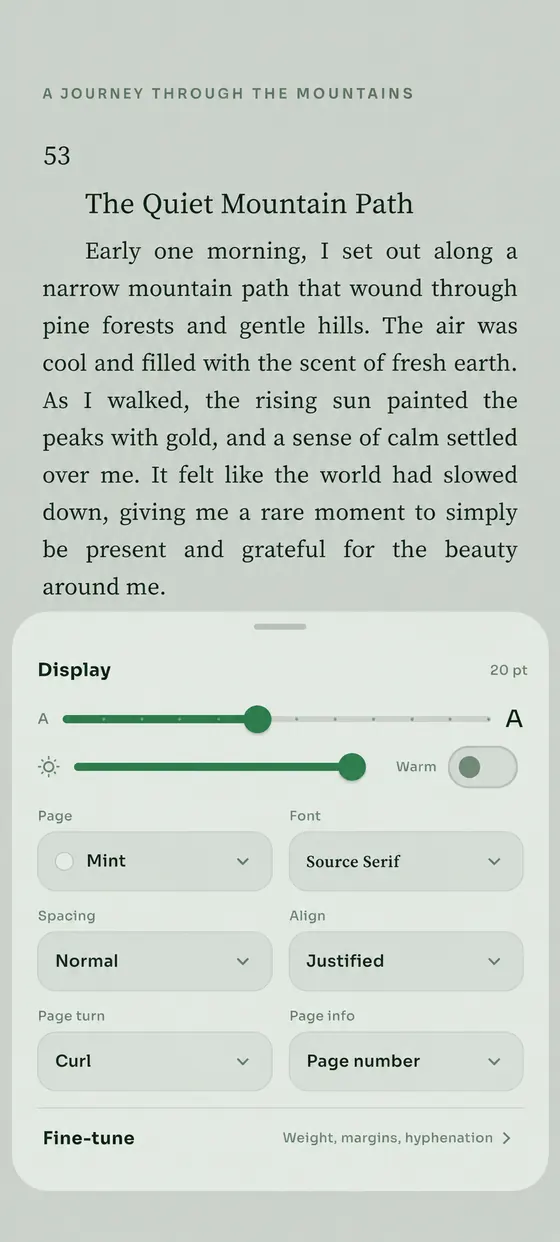
A book page with the Display panel open: text size, brightness, page colour, font, spacing and page turn
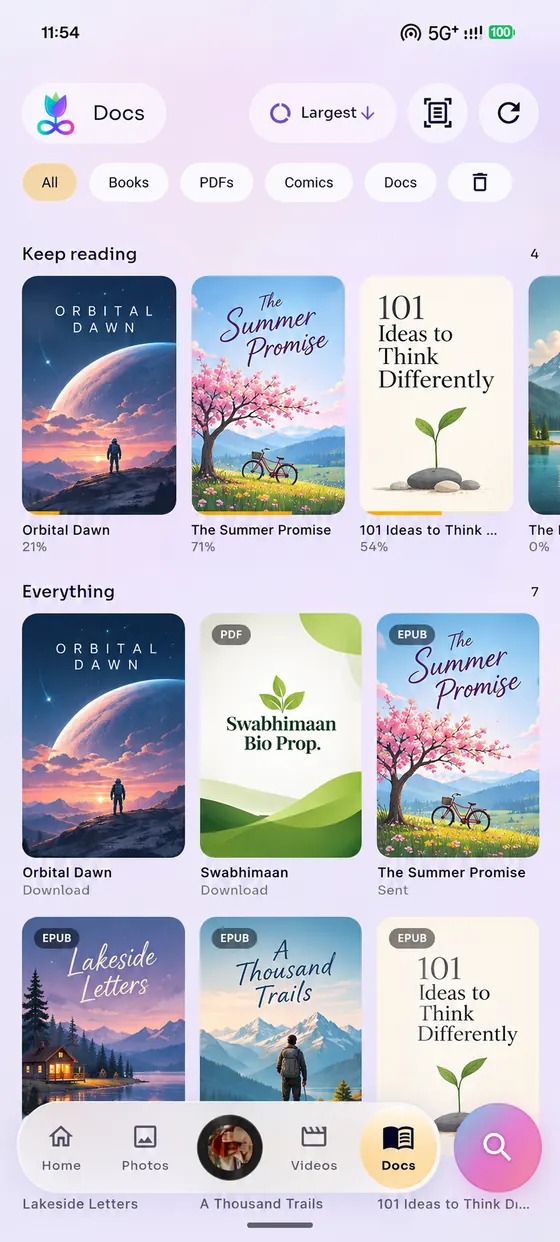
The Docs tab: Keep reading and Everything, with books, comics and PDFs shown as covers

Books, comics and PDFs on one shelf

Everything you read sits together, with Keep reading at the top. CBZ and CBR comics open at once, even big volumes.

  • Comics. Page by page or as one long strip, zoom with a pinch or a double tap, two pages side by side when you turn the phone, right-to-left for manga (read from the file).
  • PDFs. Search with the hits highlighted, a contents list, bookmarks and go to page.
  • Scan to PDF. Photograph paper, straighten the corners, and save a PDF.
  • Easy to tidy. Filter by books, PDFs, comics or documents, and a Bin holds deleted files for 30 days.

One search for all of it

Tap the round button and type. It looks through your songs, artists, videos, photos by month and documents at once.
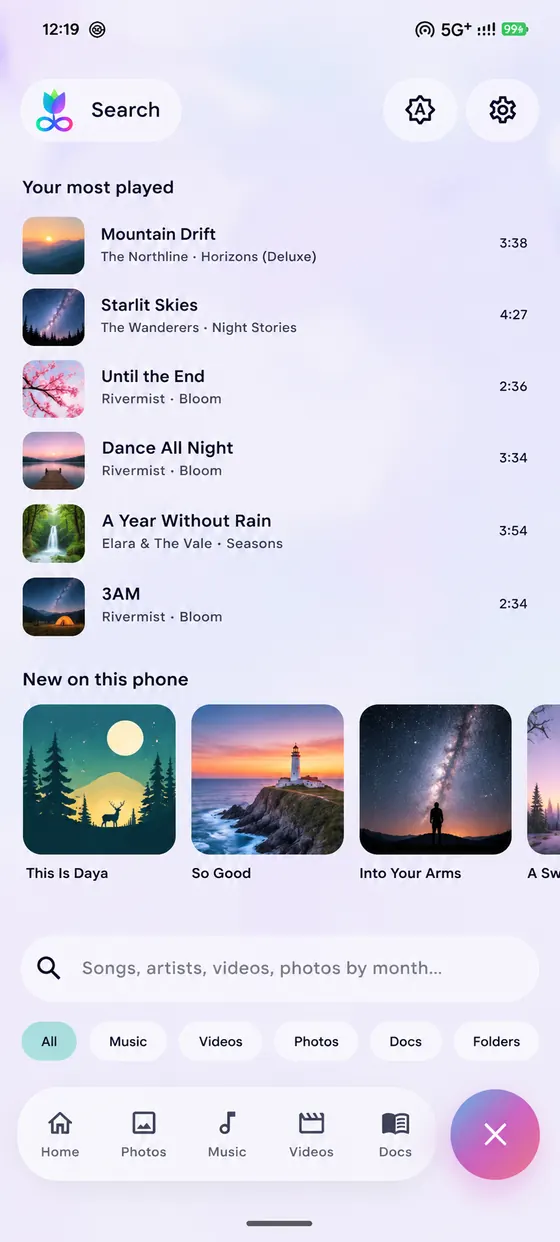
  • Before you type. Your most played songs, and what is new on your phone.
  • Narrow it down. Chips for Music, Videos, Photos, Docs and Folders.
  • Open with. Choose Tulipix Manager when you open a book, comic, PDF, song, video or picture from another app. It goes straight to the file.
The Search page: most played songs, new on this phone, a search box and filter chips

Widgets that match your home screen

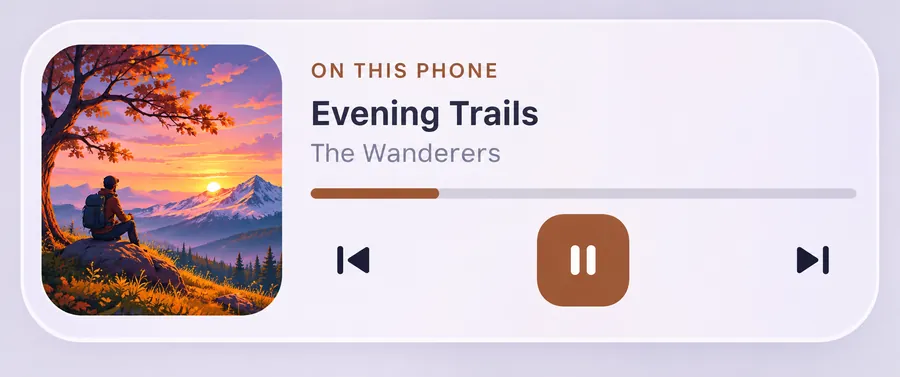
Put Now playing on your home screen and control your music without opening the app. Memories shows pictures from this day.
Five styles
ThemeWallpaperLightDarkTonal
Three glass strengths
ClearFrostedSolid
The Now playing widget: cover, song, progress bar and controls

Your cover, your colour

The play button and the bar take their colour from the song's cover.

Works in place

Play, pause, next, seek and shuffle work without opening the app.

Sizes to fit

Small, medium and large. The larger ones show what plays next and the lyrics, line by line.

And the rest of what it does

  • Private folder

    Lock pictures and videos away in an encrypted folder. It opens with your fingerprint, your face or your screen lock, and checks that nothing in it has been changed.

  • Free up space

    Finds the biggest videos, screenshots older than a month and large documents, then lets you clear them in one go. You choose what goes.

  • Looks and feel

    Light and dark themes, a layout for when you turn the phone sideways, and gentle haptics you can tune or turn off.

  • Tidy

    It clears its own temporary files each time it starts, so it does not quietly fill your storage.

Your files stay on your phone

No account

There is nothing to sign up for and nobody to log in to. Open the app and it is ready.

No tracking

The app has no analytics and no crash reporting that sends anything away.

One optional request, off by default

The only thing that can leave your phone is a lyrics look-up (song, artist, album, length) to the free LRCLIB service, and it is off until you turn it on. Read the privacy policy.

Questions

Do I need the desktop app?

No. Tulipix Manager is a complete app on its own. It is the offline version of the Tulipix companion, and it never looks for a computer.

Where can I get it?

On Google Play, or as a direct download: tulipix-manager-app.apk. They are the same app. Pick Google Play for automatic updates.

What does it cost?

The app is free on Google Play and as a direct download.

Which phones does it run on?

Android 8.0 or newer. Read aloud needs a 64-bit phone; on others the button is hidden and everything else works.

Why does it ask to see my photos, videos and music?

Because that is what it shows you. It reads them on your phone to build the library and never sends them anywhere.

Where do my books and comics need to be?

Anywhere you can pick them from. In the Google Play version you add files with Android’s file picker and Tulipix keeps a copy in its Docs. In the version from this site it can look through the whole phone for them.

What if I lose my phone or uninstall the app?

Files in your normal library are untouched. Files in the Private folder are encrypted with a key that lives only on that phone, so they cannot be recovered. Keep your own copy of anything you cannot lose.

Which comic files work?

CBZ and CBR (including RAR 3 to 5). Comics with a password cannot be opened.

How do I get in touch?

Write to mail@atishaksharma.com.

Put your whole library in your pocket

Tulipix Manager is free on Google Play. You can also download the APK and install it yourself.

The APK is the direct version: it works on Android 8.0 and newer, can look through your whole phone for books and comics, and updates when you install the next APK over it. Android will ask you to allow installs from your browser the first time.